[■]Contentstack Block Finder
The Problem
The St. James website is built on Contentstack, a headless CMS that uses modular blocks as a core content modeling pattern. Modular blocks let content editors assemble pages from reusable components — hero banners, CTAs, image carousels, video embeds, and so on.
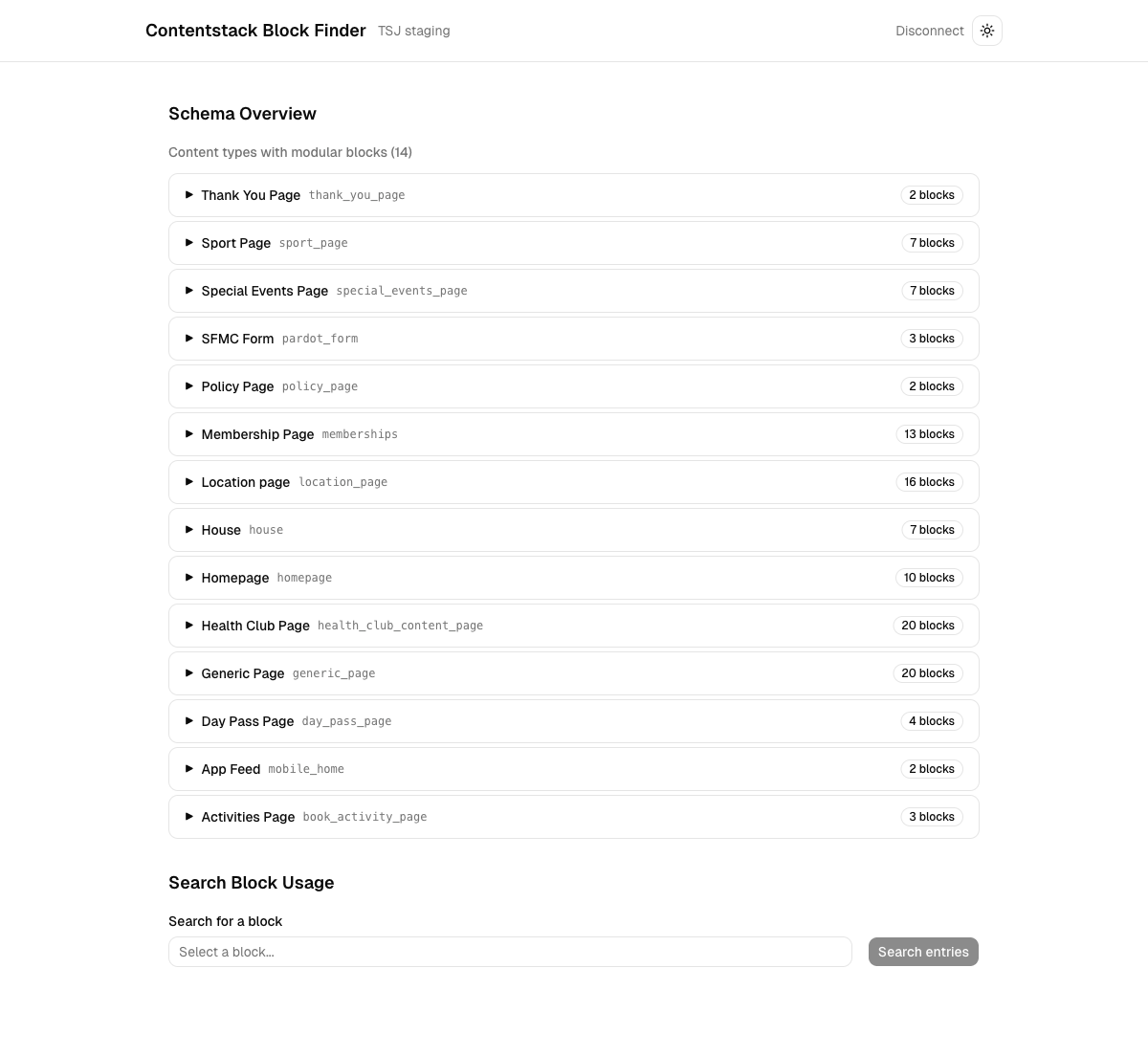
Over six years of development, the stack accumulated dozens of block types across 14+ content types. Blocks can be nested inside groups, global fields, and other blocks, creating a deep schema tree. Contentstack's UI provides no way to answer basic questions about this structure:
- Which blocks exist across all content types?
- Where is a specific block used — and in what field path?
- Which entries actually contain a given block?
Without answers, any schema change was a guessing game. Renaming, deprecating, or modifying a block meant manually clicking through content types in the CMS dashboard, then spot-checking individual entries to see if a block was in use. For a stack with 20+ blocks per content type, this was slow, error-prone, and didn't scale.
The Solution
I built a standalone Next.js web app that connects to any Contentstack stack and provides two things: a full map of every modular block in every content type, and a search tool that finds which entries actually use a specific block.
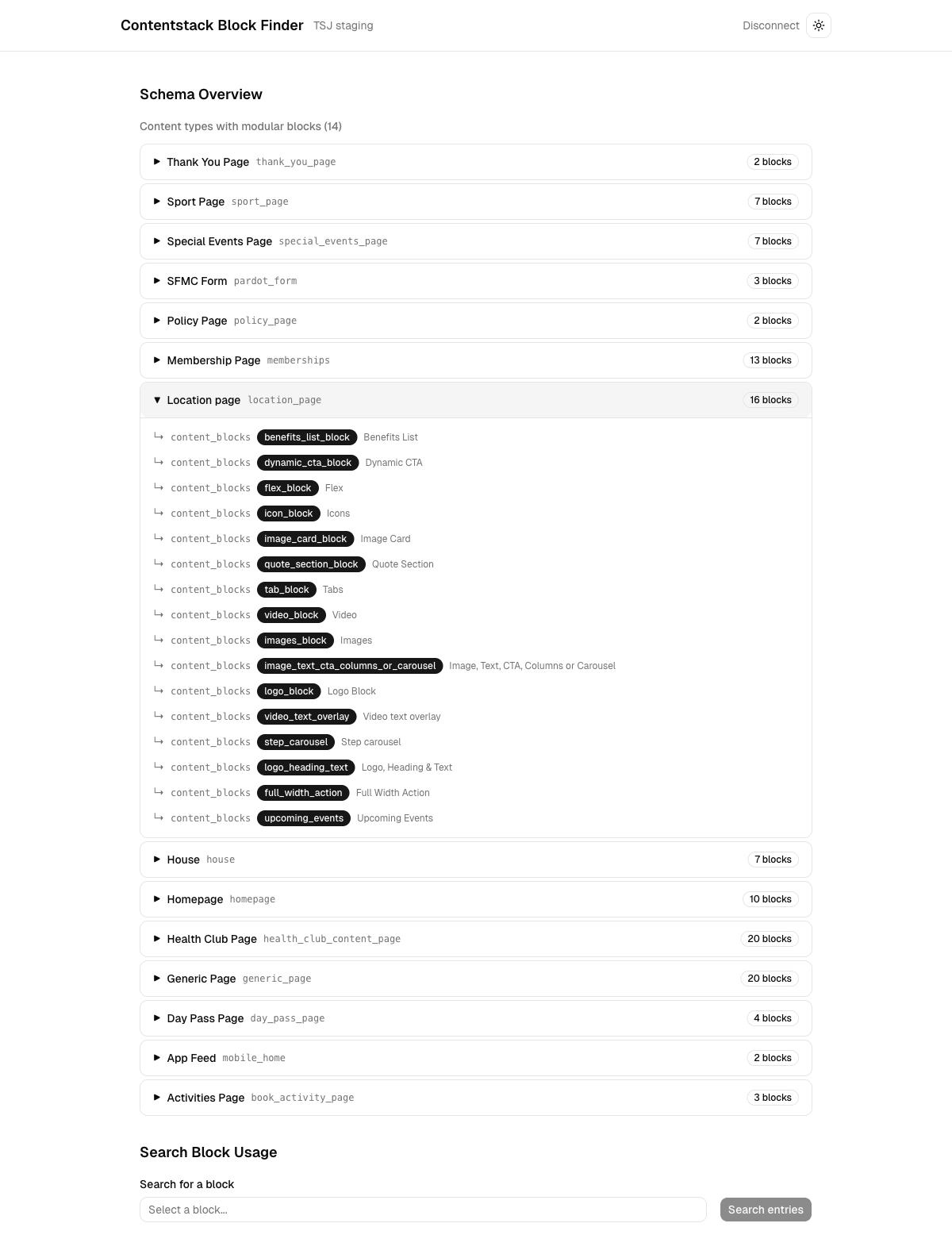
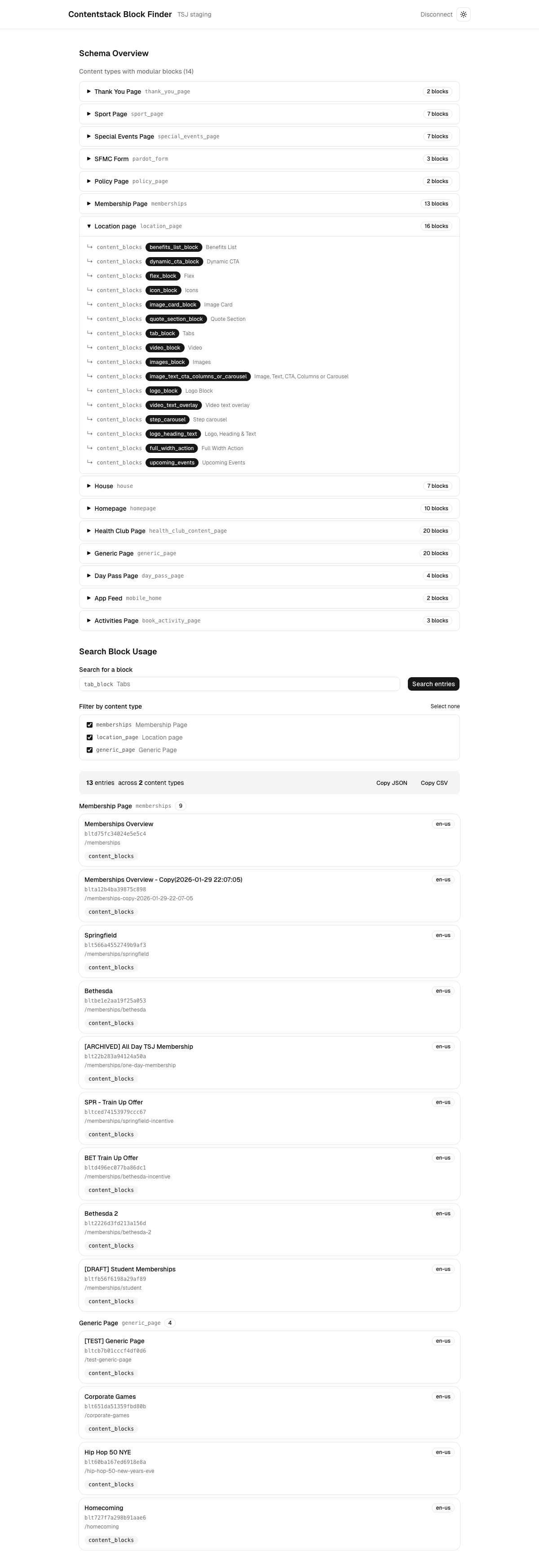
The app connects using both the Management SDK (for schema analysis) and the Delivery SDK (for entry queries). After connecting, it recursively walks every content type schema, discovers all modular block fields at any nesting depth, and presents the results as an expandable tree. From there, you can select any block, filter by content type, and search across all entries to see exactly where that block appears.
Results show entry title, UID, locale, URL slug, and the field path where the block was found. The full result set can be exported as JSON or CSV.
How It Works
::Schema Analysis
The core of the tool is a recursive schema walker in schema-analyzer.ts. It traverses each content type's field definitions, following references through groups, global fields, and nested blocks. It builds a BlockMap — a lookup structure mapping each block UID to every location where it appears, including the content type, field path, and block title.
A visited set prevents infinite loops when global fields reference each other.
::Entry Search
When you select a block and run a search, the app uses the Delivery SDK to paginate through entries for each relevant content type (100 per request, with 150ms throttling to respect API rate limits). For each entry, it performs a deep scan of the response body to find instances of the target block UID, recording the exact field paths where matches occur.
::Saved Connections
Credentials are stored in browser localStorage with named profiles. The app auto-reconnects using the last active connection on page load, so returning users land directly on the schema overview without re-entering tokens.
Design Decisions
::Why Next.js
This was deliberately built in Next.js rather than Nuxt to broaden my framework experience. The App Router with server-side API routes is a natural fit — the Management SDK requires a Node.js runtime and shouldn't run in the browser (it uses a management token). API routes handle the SDK calls server-side while the React frontend handles the interactive schema tree and search UI.
::Two SDKs, Two Purposes
Contentstack has separate SDKs for management and delivery. The Management SDK reads content type schemas (which aren't available through the Delivery SDK), while the Delivery SDK queries published entries efficiently. Using both means the app can analyze unpublished schema changes while still searching against the live content that editors see.
::Server-Side SDK Calls
The Management and Delivery tokens are sent from the browser to Next.js API routes, which make the actual SDK calls. This keeps tokens out of client-side network requests and avoids CORS issues with the Contentstack API.
::shadcn/ui for Rapid Development
The UI uses shadcn/ui components (Command palette for block search, Popover for dropdowns, Dialog for connection management) rather than building from scratch. For an internal tool, development speed matters more than custom design. shadcn/ui's composable, unstyled components paired with Tailwind CSS provided a polished UI with minimal effort.
Tech Stack
- Next.js 16 (App Router) — framework with server-side API routes
- React 19 — UI components and state management
- TypeScript 5 — type safety across SDK responses and schema analysis
- Tailwind CSS v4 — utility-first styling
- shadcn/ui — composable UI components (Command, Popover, Dialog, Badge)
- Contentstack Management SDK — schema reading and content type analysis
- Contentstack Delivery SDK — entry queries and block detection
- next-themes — light/dark mode
- pnpm — package manager
Screenshots